01
Escaping the monolith
V1 was one 1,850-line script.js. The rewrite split it into focused ES modules — dock, drawer, notes, personalisation, a clock manager with four renderers — making each face a plug-in instead of a special case.
Case study · 2025 · Live on Chrome Web Store
A macOS-flavoured new-tab replacement — animated clock faces, a dock, an app drawer, and seven themes. Live on the Chrome Web Store.
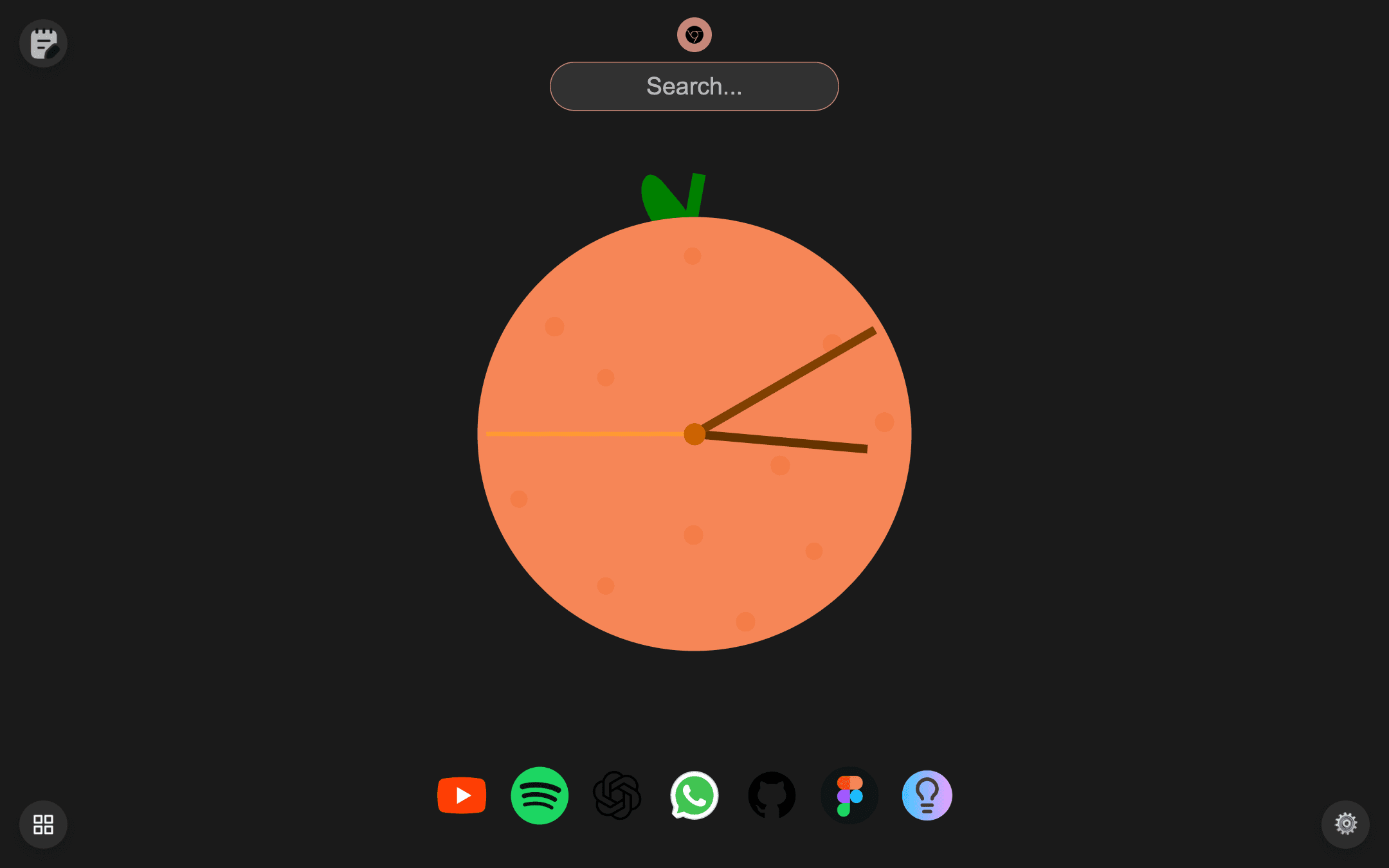
New tab — animated clock, dock, and themed desktop feel
Overview
I open a new tab a few hundred times a day, and Chrome's default is a search box and guilt. I wanted mine to feel like my Mac's desktop: a big beautiful clock, a dock of the apps I actually use, and everything else one keystroke away.
So I built it — a full new-tab override in vanilla ES modules, with four animated clock faces (including an orange with a leaf), a macOS dock, a categorised app drawer, notes, and seven themes.
4
Animated clock faces
7
Colour themes
80+
Curated apps in the drawer
~3K
Lines of vanilla JS
The new tab page is the most-seen screen in a browser and the least loved. Existing replacements are either bloated dashboards begging for accounts, or wallpapers with a clock and nothing useful.
I wanted the macOS feel — dock, launcher, personality — with zero accounts, zero tracking, and search that still goes through whatever engine the browser prefers.
A desktop, not a dashboard:
An SVG ring clock, a flip-digit clock, the orange, and a classic — plus size control
macOS-style dock with hover magnify, a categorised launcher of curated web apps
Quick notes with optional pinned notes floating on the desktop
Themes, your name on the greeting, custom shortcuts, a new-tabs-opened counter
Enter routes through chrome.search.query, so results open in the user's actual default engine — with quick-switch icons for Google, Bing, DuckDuckGo, and Brave.
App icons resolve through Google's favicon service per domain — 80+ sites in the drawer without shipping 80 images.
A new tab opens constantly; the page renders from local state with no network on the critical path, so the clock is ticking before your fingers leave Cmd+T.
Themes, notes, shortcuts, and the tab counter live in browser storage — no accounts, nothing leaves the machine.
V1 was one 1,850-line script.js. The rewrite split it into focused ES modules — dock, drawer, notes, personalisation, a clock manager with four renderers — making each face a plug-in instead of a special case.
Each face has its own render loop and DOM needs. A small clock-manager contract (mount, tick, unmount) lets faces swap live from settings without leaking intervals.
Seven themes ride a single data-theme attribute and CSS custom properties — the whole system swaps palettes with zero JS repaint work.
It shipped to the Chrome Web Store and became my own daily default — the tab I see hundreds of times a day is finally mine, and the orange clock makes people ask 'wait, what is that?' in every screen share.
Together with PopClock it proved a pattern I like: small, opinionated browser tools, shipped fast, no accounts, no noise.
What's next